DocumentationDualWave
DualWave
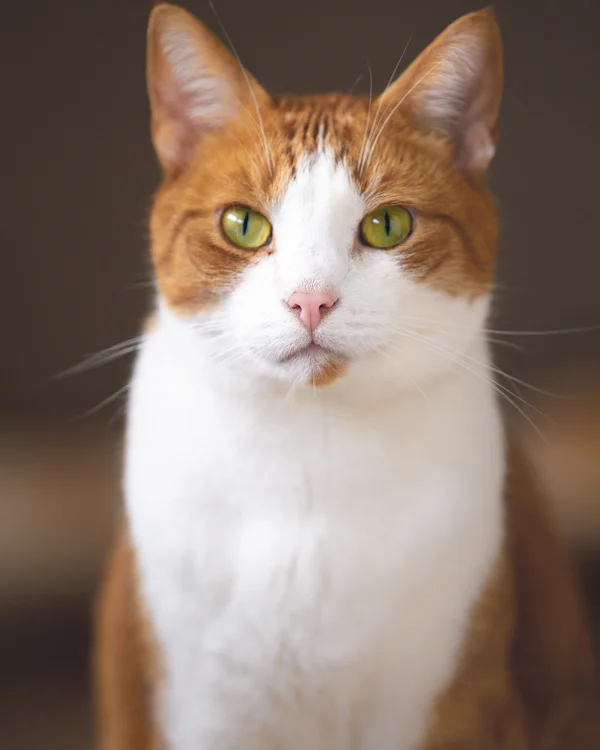
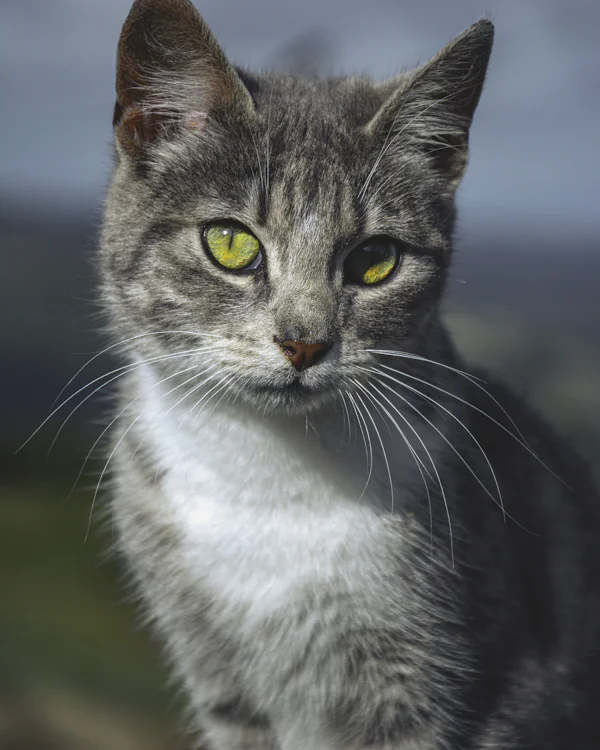
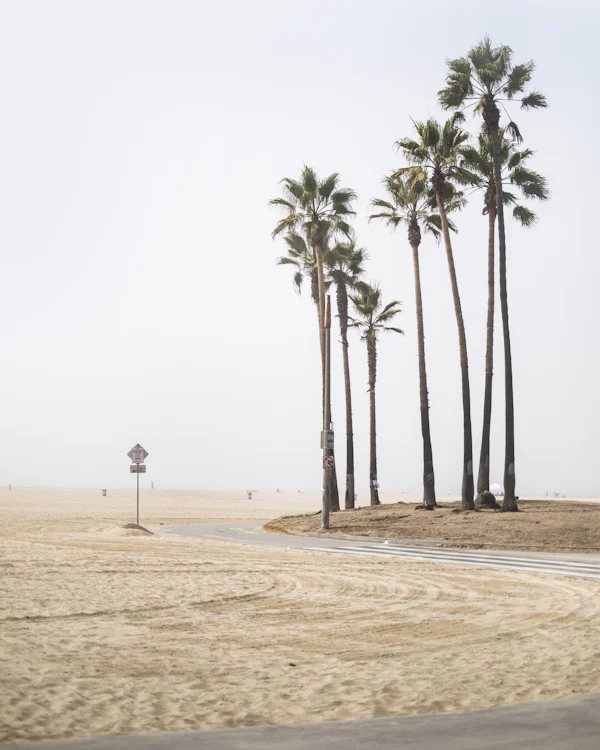
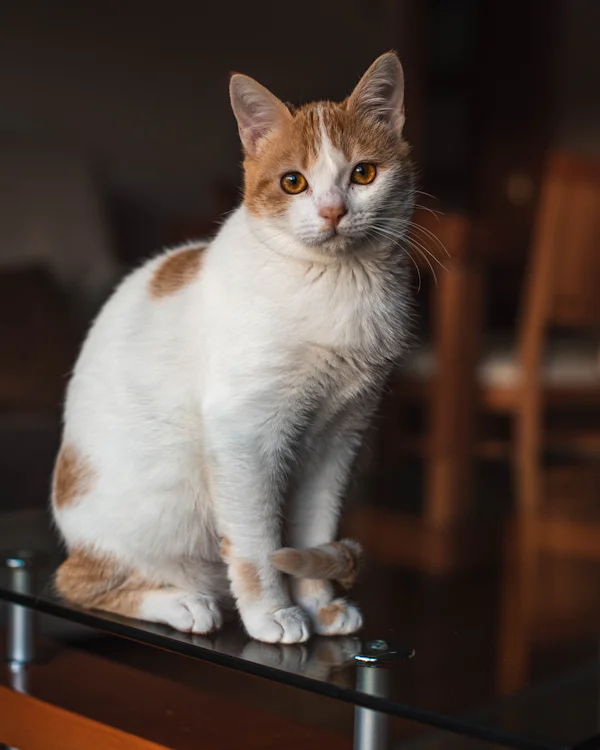
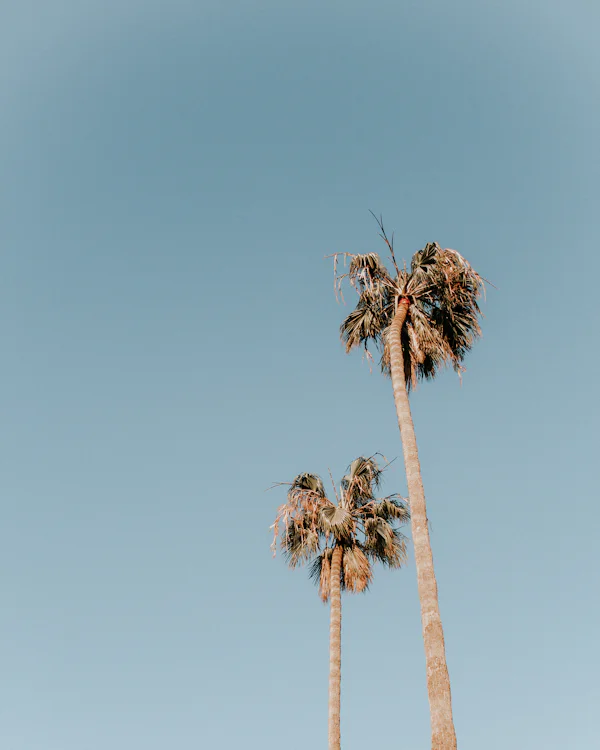
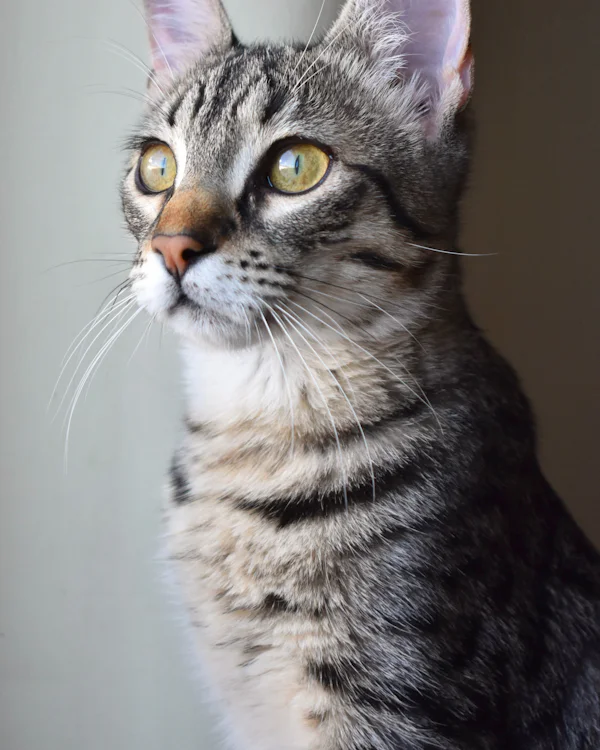
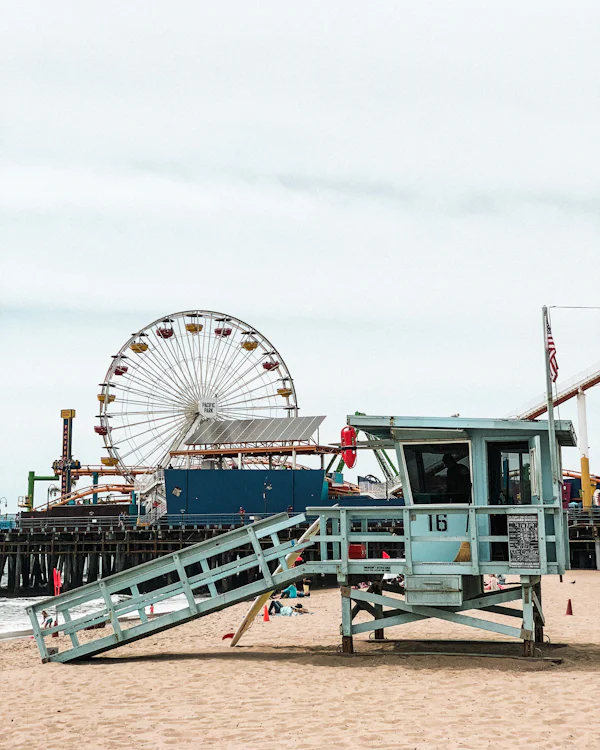
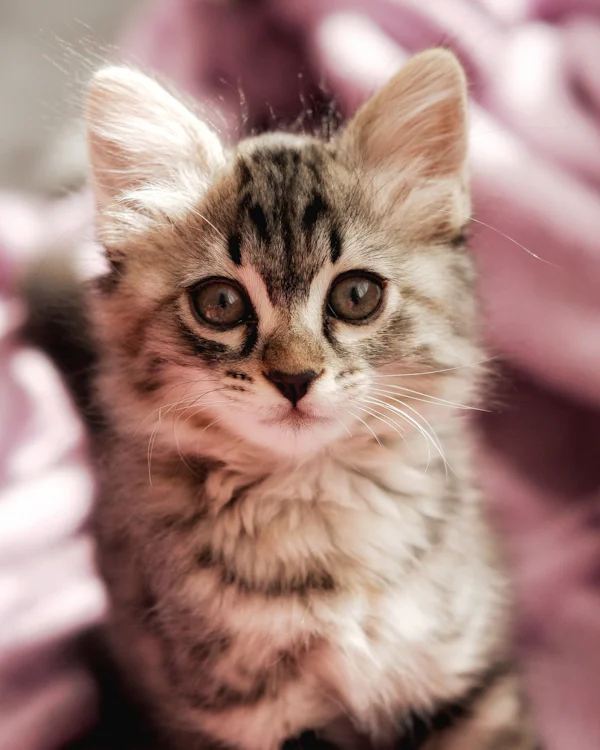
Waves two text columns past a photo that changes as a tile mosaic or a clean cut.
Shared live previews stay running while you switch code examples and API documentation.















Quick start
Copy the component and everything it needs into your React project.
npx shadcn@latest add https://kida-ui.onrender.com/r/dual-wave.jsonRun this from a project with components.json. The CLI creates all required files and installs the declared runtime dependencies. New to shadcn? Follow theinstallation guide first.
Copy manually7 files
1. Create the source files
Keep this directory structure so the component's relative imports continue to work.
src/components/ui/kida/dual-wave.tsx
'use client'

import './dual-wave.css'
import {
  type DualWaveControls,
  type DualWaveLayout,
  type DualWaveOptions,
  dualWave,
  getDualWaveMosaicRows,
} from './motion/dual-wave.js'
import {
  type CSSProperties,
  forwardRef,
  type HTMLAttributes,
  type ImgHTMLAttributes,
  useEffect,
  useId,
  useRef,
  useState,
} from 'react'
import { composeRefs } from './compose-refs.js'
import { useIsomorphicLayoutEffect } from './use-isomorphic-layout-effect.js'

export type { DualWaveLayout } from './motion/dual-wave.js'

export interface DualWaveItem {
  /** Stable key for this item. */
  id: string
  /** Shown in the left column, for example a project name. */
  title: string
  /** Shown in the right column, for example a client or credit. */
  subtitle: string
  src: string
  alt: string
  imageProps?: Omit<ImgHTMLAttributes<HTMLImageElement>, 'src' | 'alt' | 'draggable'>
}

export interface DualWaveProps
  extends DualWaveOptions,
    Omit<HTMLAttributes<HTMLElement>, 'children' | 'onChange'> {
  items: readonly DualWaveItem[]
  /** Labels for the title and subtitle columns. @default ['Projects', 'Clients'] */
  headings?: readonly [string, string]
  /** How the photo changes between items. @default 'mosaic' */
  layout?: DualWaveLayout
  /** Mosaic columns, from 2 to 5. Rows follow the 3:4 frame. @default 3 */
  columns?: number
  /** Item shown first. @default 0 */
  defaultIndex?: number
  /** Travels to this item whenever the value changes. */
  index?: number
  /** Called when the item nearest the center changes. */
  onIndexChange?: (index: number) => void
}

const DEFAULT_HEADINGS = ['Projects', 'Clients'] as const

const toIndex = (value: number | undefined, count: number) =>
  count && value !== undefined && Number.isFinite(value)
    ? ((Math.round(value) % count) + count) % count
    : 0

export const DualWave = forwardRef<HTMLElement, DualWaveProps>(function DualWave(
  {
    items,
    headings = DEFAULT_HEADINGS,
    layout = 'mosaic',
    columns = 3,
    defaultIndex = 0,
    index,
    onIndexChange,
    strength,
    response,
    captureScroll,
    'aria-label': ariaLabel,
    style,
    ...props
  },
  forwardedRef,
) {
  const rootRef = useRef<HTMLElement>(null)
  const controlsRef = useRef<DualWaveControls | null>(null)
  const count = items.length
  const [selected, setActive] = useState(() => toIndex(index ?? defaultIndex, count))
  // A shorter item list keeps the selection on its last item.
  const active = count ? Math.min(selected, count - 1) : 0
  const activeRef = useRef(active)
  activeRef.current = active
  const onIndexChangeRef = useRef(onIndexChange)
  onIndexChangeRef.current = onIndexChange
  const helpId = useId()
  const current = items[active]
  const gridColumns = Number.isFinite(columns) ? Math.max(2, Math.min(5, Math.round(columns))) : 3
  const gridRows = getDualWaveMosaicRows(gridColumns)
  const itemKey = items
    .map((item) => [item.id, item.src, item.title, item.subtitle].join('\u0001'))
    .join('\u0000')

  // Structure changes restart the controller from the item on screen; options update in place.
  useIsomorphicLayoutEffect(() => {
    const root = rootRef.current
    if (!root) return
    const controls = dualWave(root, {
      index: activeRef.current,
      strength,
      response,
      captureScroll,
      onIndexChange(next) {
        activeRef.current = next
        setActive(next)
        onIndexChangeRef.current?.(next)
      },
    })
    controlsRef.current = controls
    return () => {
      controls.destroy()
      controlsRef.current = null
    }
  }, [itemKey, layout, gridColumns])

  useIsomorphicLayoutEffect(() => {
    controlsRef.current?.update({ strength, response, captureScroll })
  }, [strength, response, captureScroll])

  useEffect(() => {
    if (index === undefined || !count) return
    const next = toIndex(index, count)
    if (next !== activeRef.current) controlsRef.current?.select(next)
  }, [index, count])

  return (
    <section
      {...props}
      ref={composeRefs(rootRef, forwardedRef)}
      data-kida-dual-wave=""
      data-layout={layout}
      aria-roledescription="carousel"
      aria-label={ariaLabel ?? headings[0]}
      aria-describedby={props['aria-describedby'] ?? helpId}
      // Focus scopes arrow-key navigation to this carousel without global key handlers.
      tabIndex={props.tabIndex ?? 0}
      style={style}
    >
      <div data-kida-dual-wave-headings="" aria-hidden="true">
        <span>{headings[0]}</span>
        <span>{headings[1]}</span>
      </div>
      <div data-kida-dual-wave-field="">
        <fieldset data-kida-dual-wave-column="title" aria-label={headings[0]}>
          {items.map((item, itemIndex) => (
            <button
              type="button"
              key={item.id}
              data-kida-dual-wave-item=""
              aria-label={`Show ${item.title}, ${item.subtitle}`}
              aria-current={itemIndex === active ? 'true' : undefined}
              tabIndex={itemIndex === active ? 0 : -1}
            >
              {item.title}
            </button>
          ))}
        </fieldset>
        <fieldset data-kida-dual-wave-column="subtitle" aria-label={headings[1]}>
          {items.map((item, itemIndex) => (
            <button
              type="button"
              key={item.id}
              data-kida-dual-wave-item=""
              aria-label={`Show ${item.subtitle}, ${item.title}`}
              aria-current={itemIndex === active ? 'true' : undefined}
              tabIndex={-1}
            >
              {item.subtitle}
            </button>
          ))}
        </fieldset>
      </div>
      <div data-kida-dual-wave-media="">
        {layout === 'mosaic' && (
          <div
            data-kida-dual-wave-mosaic=""
            data-kida-dual-wave-columns={gridColumns}
            aria-hidden="true"
            style={
              {
                '--kida-dual-wave-columns': gridColumns,
                '--kida-dual-wave-rows': gridRows,
                ...(current
                  ? { '--kida-dual-wave-initial': `url(${JSON.stringify(current.src)})` }
                  : {}),
              } as CSSProperties
            }
          >
            {Array.from({ length: gridColumns * gridRows }, (_, tile) => (
              <div
                // biome-ignore lint/suspicious/noArrayIndexKey: tiles are fixed grid cells without local state
                key={tile}
                data-kida-dual-wave-tile=""
                style={
                  {
                    '--kida-dual-wave-column': tile % gridColumns,
                    '--kida-dual-wave-row': Math.floor(tile / gridColumns),
                  } as CSSProperties
                }
              >
                <span data-kida-dual-wave-layer="" />
                <span data-kida-dual-wave-layer="" />
              </div>
            ))}
          </div>
        )}
        <div data-kida-dual-wave-images="" aria-hidden="true">
          {items.map((item, itemIndex) => (
            <img
              {...item.imageProps}
              key={item.id}
              src={item.src}
              alt=""
              data-kida-dual-wave-image=""
              data-current={itemIndex === active ? '' : undefined}
              decoding={item.imageProps?.decoding ?? 'async'}
              draggable={false}
            />
          ))}
        </div>
        {current && <span data-kida-dual-wave-sr="" role="img" aria-label={current.alt} />}
      </div>
      <span id={helpId} data-kida-dual-wave-sr="">
        Scroll, swipe, or use arrow keys
      </span>
      <span data-kida-dual-wave-sr="" aria-live="polite" aria-atomic="true">
        {current ? `Item ${active + 1} of ${count}: ${current.title}, ${current.subtitle}.` : ''}
      </span>
    </section>
  )
})src/components/ui/kida/compose-refs.ts
import type { Ref } from 'react'

/** Feed one node to several refs — ours for measuring, Zag's for animation detection. */
export function composeRefs<T>(...refs: (Ref<T> | undefined)[]) {
  return (node: T | null) => {
    for (const ref of refs) {
      if (typeof ref === 'function') ref(node)
      else if (ref) (ref as { current: T | null }).current = node
    }
  }
}src/components/ui/kida/use-isomorphic-layout-effect.ts
'use client'

import { useEffect, useLayoutEffect } from 'react'

/**
 * `useLayoutEffect` in the browser, `useEffect` on the server.
 *
 * Motion has to be applied before paint or the user sees an unstyled frame, but React
 * warns when `useLayoutEffect` runs during SSR — where it does nothing anyway.
 */
export const useIsomorphicLayoutEffect = typeof window !== 'undefined' ? useLayoutEffect : useEffectsrc/components/ui/kida/dual-wave.css
[data-kida-dual-wave] {
  --kida-dual-wave-surface: #fffafb;
  --kida-dual-wave-ink: #211c24;
  --kida-dual-wave-muted: #71666b;
  --kida-dual-wave-accent: #e94f86;
  --kida-dual-wave-line: #e9dfda;
  --kida-dual-wave-placeholder: #f8dbe5;
  --kida-dual-wave-focus: var(--kida-dual-wave-accent);

  container-type: inline-size;
  position: relative;
  display: block;
  height: var(--kida-dual-wave-height, clamp(26rem, 78svh, 44rem));
  overflow: hidden;
  isolation: isolate;
  border: 1px solid var(--kida-dual-wave-line);
  border-radius: var(--kida-dual-wave-radius, 1.5rem);
  background: var(--kida-dual-wave-surface);
  color: var(--kida-dual-wave-ink);
  overscroll-behavior: contain;
}

[data-kida-dual-wave]:focus-visible,
[data-kida-dual-wave] [data-kida-dual-wave-item]:focus-visible {
  outline: 2px solid var(--kida-dual-wave-focus);
  outline-offset: 4px;
}

[data-kida-dual-wave] [data-kida-dual-wave-headings] {
  position: absolute;
  z-index: 2;
  inset: 1.5rem 1.75rem auto;
  display: flex;
  justify-content: space-between;
  gap: 1.25rem;
  color: var(--kida-dual-wave-muted);
  font-size: 0.625rem;
  font-weight: 650;
  letter-spacing: 0.08em;
  text-transform: uppercase;
}

[data-kida-dual-wave] [data-kida-dual-wave-field] {
  position: absolute;
  inset: 4.375rem 1.75rem;
  overflow: hidden;
  mask-image: linear-gradient(transparent, black 13%, black 87%, transparent);
}

[data-kida-dual-wave] [data-kida-dual-wave-column] {
  position: absolute;
  top: 0;
  bottom: 0;
  width: 37%;
  min-width: 0;
  margin: 0;
  padding: 0;
  border: 0;
}

[data-kida-dual-wave] [data-kida-dual-wave-column="title"] {
  left: 0;
}

[data-kida-dual-wave] [data-kida-dual-wave-column="subtitle"] {
  right: 0;
}

[data-kida-dual-wave] [data-kida-dual-wave-item] {
  position: absolute;
  top: 50%;
  width: max-content;
  max-width: 100%;
  /* The row height is also the spacing between rows, so a smaller value fits more of them. */
  height: var(--kida-dual-wave-row-height, clamp(1.875rem, 3.9cqw, 3.75rem));
  margin: 0;
  margin-top: calc(var(--kida-dual-wave-row-height, clamp(1.875rem, 3.9cqw, 3.75rem)) / -2);
  padding: 0;
  overflow: hidden;
  border: 0;
  border-radius: 0.25rem;
  background: transparent;
  color: var(--kida-dual-wave-ink);
  font: inherit;
  font-size: var(--kida-dual-wave-font-size, clamp(0.8125rem, 2.8cqw, 2.75rem));
  font-weight: 450;
  line-height: 1;
  letter-spacing: -0.055em;
  text-overflow: ellipsis;
  white-space: nowrap;
  cursor: pointer;
  /* Until the controller positions the rows, only the current item is shown, at the center. */
  opacity: 0;
}

[data-kida-dual-wave] [data-kida-dual-wave-column="title"] > [data-kida-dual-wave-item] {
  left: 0;
}

[data-kida-dual-wave] [data-kida-dual-wave-column="subtitle"] > [data-kida-dual-wave-item] {
  right: 0;
}

[data-kida-dual-wave] [data-kida-dual-wave-item][aria-current="true"] {
  color: color-mix(in srgb, var(--kida-dual-wave-accent) 75%, var(--kida-dual-wave-ink));
  opacity: 1;
}

[data-kida-dual-wave] [data-kida-dual-wave-item]:hover {
  text-decoration: underline;
  text-decoration-color: var(--kida-dual-wave-accent);
  text-decoration-thickness: 2px;
  text-underline-offset: 0.375rem;
}

/* The photo sits outside the faded text field and fits the stage's height as well as its width. */
[data-kida-dual-wave] [data-kida-dual-wave-media] {
  position: absolute;
  top: 50%;
  left: 50%;
  height: min(
    calc(100% - 9.75rem),
    calc(var(--kida-dual-wave-image-width, clamp(7rem, 22cqw, 18.75rem)) * 4 / 3)
  );
  aspect-ratio: 3 / 4;
  transform: translate(-50%, -50%);
}

[data-kida-dual-wave] [data-kida-dual-wave-images] {
  position: relative;
  width: 100%;
  aspect-ratio: 3 / 4;
  overflow: hidden;
  border-radius: var(--kida-dual-wave-image-radius, 0.625rem);
  background: var(--kida-dual-wave-placeholder);
}

[data-kida-dual-wave] [data-kida-dual-wave-image] {
  position: absolute;
  inset: 0;
  display: block;
  width: 100%;
  height: 100%;
  object-fit: cover;
  pointer-events: none;
  opacity: 0;
  visibility: hidden;
}

/* The current photo shows before the controller starts and while later photos decode. */
[data-kida-dual-wave] [data-kida-dual-wave-image][data-current] {
  opacity: 1;
  visibility: visible;
}

/* Mosaic: tiles paint the photo. The images stay mounted for loading and the decode check.
   Opacity, unlike visibility, cannot be overridden by the images' own inline styles. */
[data-kida-dual-wave][data-layout="mosaic"] [data-kida-dual-wave-images] {
  position: absolute;
  inset: 0;
  opacity: 0;
  pointer-events: none;
}

[data-kida-dual-wave] [data-kida-dual-wave-mosaic] {
  display: grid;
  grid-template-columns: repeat(var(--kida-dual-wave-columns), 1fr);
  aspect-ratio: 3 / 4;
}

[data-kida-dual-wave] [data-kida-dual-wave-tile] {
  position: relative;
  overflow: hidden;
  clip-path: inset(var(--kida-dual-wave-gutter, 2px) round 3px);
  background: var(--kida-dual-wave-placeholder);
}

[data-kida-dual-wave][data-state="moving"] [data-kida-dual-wave-tile] {
  will-change: transform;
}

/* Each layer is the whole photo, offset so the tile shows only its own slice. */
[data-kida-dual-wave] [data-kida-dual-wave-layer] {
  position: absolute;
  top: calc(var(--kida-dual-wave-row) * -100%);
  left: calc(var(--kida-dual-wave-column) * -100%);
  width: calc(var(--kida-dual-wave-columns) * 100%);
  height: calc(var(--kida-dual-wave-rows) * 100%);
  background-position: center;
  background-size: cover;
}

[data-kida-dual-wave] [data-kida-dual-wave-layer]:first-child {
  background-image: var(--kida-dual-wave-initial, none);
}

[data-kida-dual-wave] [data-kida-dual-wave-layer]:last-child {
  opacity: 0;
}

[data-kida-dual-wave] [data-kida-dual-wave-sr] {
  position: absolute;
  width: 1px;
  height: 1px;
  margin: -1px;
  overflow: hidden;
  clip-path: inset(50%);
  white-space: nowrap;
}

@container (max-width: 30rem) {
  [data-kida-dual-wave] [data-kida-dual-wave-headings] {
    inset-inline: 0.875rem;
    font-size: 0.5625rem;
  }

  [data-kida-dual-wave] [data-kida-dual-wave-field] {
    inset: 4rem 0.625rem;
  }

  [data-kida-dual-wave] [data-kida-dual-wave-column] {
    width: 35%;
  }

  [data-kida-dual-wave] [data-kida-dual-wave-item] {
    font-size: var(--kida-dual-wave-font-size, clamp(0.625rem, 3cqw, 0.875rem));
  }

  [data-kida-dual-wave] [data-kida-dual-wave-media] {
    height: min(calc(100% - 9rem), calc(var(--kida-dual-wave-image-width, 27cqw) * 4 / 3));
  }

  [data-kida-dual-wave] [data-kida-dual-wave-mosaic] {
    --kida-dual-wave-gutter: 1px;
  }
}src/components/ui/kida/motion/dual-wave.ts
import {
  dampPosition,
  getDualWaveMosaicRows,
  itemDistance,
  nearestItemPosition,
  tileDelay,
  tileProgress,
  waveOffset,
  wrapIndex,
} from './dual-wave-math.js'
import { prefersReducedMotion, watchReducedMotion } from './reduced-motion.js'

export { getDualWaveMosaicRows } from './dual-wave-math.js'

/** `mosaic` splits the photo into tiles that cascade and part with speed; `frame` cuts to it. */
export type DualWaveLayout = 'mosaic' | 'frame'

export interface DualWaveOptions {
  /** Horizontal wave travel and how far mosaic tiles part, from 0 to 100. @default 80 */
  strength?: number
  /** Settling speed multiplier, from 0.25 to 3. @default 1 */
  response?: number
  /** Whether wheel and swipe gestures over the stage move between items. @default true */
  captureScroll?: boolean
}

export interface DualWaveSetup extends DualWaveOptions {
  /** Item shown when the controller starts. @default 0 */
  index?: number
  /** Called when the item nearest the center changes. */
  onIndexChange?: (index: number) => void
}

export interface DualWaveControls {
  /** Travels the shortest way around the loop to an item. */
  select(index: number): void
  /** Moves by whole items; negative values move backward. */
  step(delta: number): void
  /** Applies new options without restarting or moving. */
  update(options: DualWaveOptions): void
  destroy(): void
}

const DEFAULTS = { strength: 80, response: 1, captureScroll: true } as const
const NAVIGATION_KEYS = new Map([
  ['ArrowDown', 1],
  ['ArrowRight', 1],
  ['PageDown', 1],
  ['ArrowUp', -1],
  ['ArrowLeft', -1],
  ['PageUp', -1],
])

// Shared by every instance and restart: once a photo is decoded it can be shown immediately.
// Showing a loaded-but-undecoded image paints an empty frame first, which reads as a blink.
const decodedImages = new WeakSet<HTMLImageElement>()

const clamp = (value: number, min: number, max: number) =>
  Number.isFinite(value) ? Math.min(max, Math.max(min, value)) : min

/**
 * Drives a DualWave stage: two text columns that wave past each other and a photo between them.
 * Only transforms, opacity, and background images are written per frame; layout is read on resize.
 */
export function dualWave(root: HTMLElement, setup: DualWaveSetup = {}): DualWaveControls {
  const columns = [
    root.querySelector<HTMLElement>('[data-kida-dual-wave-column="title"]'),
    root.querySelector<HTMLElement>('[data-kida-dual-wave-column="subtitle"]'),
  ]
  const [titles, subtitles] = columns.map((column) =>
    column ? [...column.querySelectorAll<HTMLElement>('[data-kida-dual-wave-item]')] : [],
  ) as [HTMLElement[], HTMLElement[]]
  const images = [...root.querySelectorAll<HTMLImageElement>('img[data-kida-dual-wave-image]')]
  const mosaicRoot = root.querySelector<HTMLElement>('[data-kida-dual-wave-mosaic]')
  const count = titles.length

  let strength: number = DEFAULTS.strength
  let response: number = DEFAULTS.response
  let captureScroll: boolean = DEFAULTS.captureScroll
  const applyOptions = (options: DualWaveOptions) => {
    if (options.strength !== undefined) strength = clamp(options.strength, 0, 100)
    if (options.response !== undefined) response = clamp(options.response, 0.25, 3)
    if (options.captureScroll !== undefined) captureScroll = options.captureScroll
  }
  applyOptions(setup)

  const mosaicColumns = Math.max(1, Number(mosaicRoot?.dataset.kidaDualWaveColumns) || 1)
  const mosaicRows = getDualWaveMosaicRows(mosaicColumns)
  const mosaic = [
    ...(mosaicRoot?.querySelectorAll<HTMLElement>('[data-kida-dual-wave-tile]') ?? []),
  ]
    .map((tile, index) => {
      const [from, to] = tile.querySelectorAll<HTMLElement>('[data-kida-dual-wave-layer]')
      const column = index % mosaicColumns
      const row = Math.floor(index / mosaicColumns)
      return {
        tile,
        from,
        to,
        delay: tileDelay(column, row, mosaicColumns, mosaicRows),
        x: column - (mosaicColumns - 1) / 2,
        y: row - (mosaicRows - 1) / 2,
      }
    })
    .filter((part): part is typeof part & { from: HTMLElement; to: HTMLElement } =>
      Boolean(part.from && part.to),
    )

  let reduced = prefersReducedMotion()
  const start = count ? wrapIndex(Math.round(setup.index ?? 0), count) : 0
  const state = { position: start, target: start }
  let announced = start
  let frame = 0
  let previousTime = 0
  let snapTimer = 0
  let visible = false
  let disposed = false
  let rowHeight = 48
  let stageHeight = 600
  let titleRange = 0
  let subtitleRange = 0
  let tileWidth = 0
  let wheelRemainder = 0
  let touchStart: { x: number; y: number } | null = null
  let lastImage = start
  let frontImage = -1
  let backImage = -1
  let shownFrom = -1
  let shownTo = -1

  // A restart (for example a layout change) must not inherit what the previous pass wrote.
  for (const image of images) image.style.removeProperty('opacity')
  for (const image of images) image.style.removeProperty('visibility')
  for (const image of images) image.style.removeProperty('z-index')

  const ready = (index: number) => {
    const image = images[index]
    return image ? decodedImages.has(image) : false
  }

  const paintImages = (position: number, nearest: number) => {
    const lower = wrapIndex(Math.floor(position), count)
    const upper = wrapIndex(Math.ceil(position), count)
    const canBlend = ready(lower) && ready(upper)
    if (canBlend || ready(nearest)) lastImage = nearest
    else if (!ready(lastImage)) {
      const fallback = images.findIndex((image) => decodedImages.has(image))
      if (fallback >= 0) lastImage = fallback
    }

    if (mosaic.length) {
      const from = canBlend ? lower : lastImage
      const to = canBlend ? upper : lastImage
      if (!ready(from) || !ready(to)) return
      const t = canBlend && !reduced ? position - Math.floor(position) : 0
      const source = (index: number) => {
        const image = images[index]
        return `url("${image?.currentSrc || image?.src || ''}")`
      }
      // Background swaps only happen when the pair changes; each frame writes opacity/transform.
      for (const part of mosaic) {
        if (from !== shownFrom) part.from.style.backgroundImage = source(from)
        if (to !== shownTo) part.to.style.backgroundImage = source(to)
      }
      shownFrom = from
      shownTo = to
      // Tiles part with velocity and settle back into one image at rest.
      const parting = reduced ? 0 : Math.min(1, Math.abs(state.target - position) / 1.5)
      const gap = tileWidth * 0.16 * (strength / 100) * parting
      for (const { tile, to: layer, delay, x, y } of mosaic) {
        const progress = tileProgress(t, delay)
        const lift = reduced ? 0 : Math.sin(progress * Math.PI)
        layer.style.opacity = String(progress)
        tile.style.transform =
          gap || lift
            ? `translate3d(${x * gap}px, ${y * gap - lift * tileWidth * 0.08}px, 0) scale(${1 - lift * 0.06})`
            : ''
      }
      return
    }

    // Frame cuts straight to the photo. The previous one stays underneath, so a late first paint
    // of the new photo reveals it rather than the empty backdrop.
    if (lastImage !== frontImage && ready(lastImage)) {
      backImage = frontImage
      frontImage = lastImage
    }
    if (frontImage < 0) return
    images.forEach((image, index) => {
      const shown = index === frontImage || index === backImage
      image.style.opacity = shown ? '1' : '0'
      image.style.visibility = shown ? 'visible' : 'hidden'
      image.style.zIndex = index === frontImage ? '1' : ''
    })
  }

  const paint = () => {
    if (!count) return
    const position = state.position
    const nearest = wrapIndex(Math.round(position), count)
    if (announced !== nearest) {
      announced = nearest
      setup.onIndexChange?.(nearest)
    }

    for (let index = 0; index < count; index++) {
      const distance = itemDistance(index, position, count)
      const y = distance * rowHeight
      const inView = Math.abs(y) < stageHeight / 2 + rowHeight
      const opacity = 0.38 + 0.62 * Math.max(0, 1 - Math.abs(distance)) ** 2
      const x = reduced ? 0 : waveOffset(distance, position, 1)
      for (const [row, range, direction] of [
        [titles[index], titleRange, 1],
        [subtitles[index], subtitleRange, -1],
      ] as const) {
        if (!row) continue
        row.style.visibility = inView ? 'visible' : 'hidden'
        row.style.transform = `translate3d(${x * range * direction}px, ${y}px, 0)`
        row.style.opacity = String(opacity)
      }
    }
    paintImages(position, nearest)
  }

  const canRun = () => visible && !document.hidden
  const settle = () => {
    root.dataset.state = 'settled'
    previousTime = 0
  }
  const tick = (time: number) => {
    frame = 0
    if (!canRun()) return
    const elapsed = previousTime ? Math.max(0, time - previousTime) : 16.67
    previousTime = time
    state.position = dampPosition(state.position, state.target, elapsed, response)
    const settled = Math.abs(state.target - state.position) < 0.001
    if (settled) state.position = state.target
    paint()
    if (settled) settle()
    else frame = requestAnimationFrame(tick)
  }
  const wake = () => {
    if (disposed || frame || !canRun()) return
    if (reduced) {
      state.position = state.target
      paint()
      settle()
      return
    }
    root.dataset.state = 'moving'
    previousTime = 0
    frame = requestAnimationFrame(tick)
  }
  const step = (delta: number) => {
    if (!count) return
    window.clearTimeout(snapTimer)
    state.target = Math.round(state.target) + Math.round(delta)
    wake()
  }
  const select = (index: number) => {
    if (!count || !Number.isFinite(index)) return
    window.clearTimeout(snapTimer)
    state.target = nearestItemPosition(wrapIndex(Math.round(index), count), state.target, count)
    wake()
  }
  const snap = () => {
    snapTimer = 0
    state.target = Math.round(state.target)
    wake()
  }

  const prime = (image: HTMLImageElement) => {
    if (!image.complete || !image.naturalWidth || decodedImages.has(image)) return
    image
      .decode()
      .then(() => {
        decodedImages.add(image)
        if (disposed) return
        if (frame) return
        // Not animating: paint the newly available photo directly.
        paint()
      })
      .catch(() => {})
  }
  const primeLoaded = (event: Event) => prime(event.currentTarget as HTMLImageElement)

  const measure = () => {
    const titleColumn = columns[0]
    const subtitleColumn = columns[1]
    if (!titleColumn || !subtitleColumn) return
    stageHeight = titleColumn.clientHeight
    rowHeight = Math.max(titles[0]?.offsetHeight || 48, stageHeight / Math.max(2, count - 1))
    const widest = (rows: HTMLElement[]) => Math.max(0, ...rows.map((row) => row.offsetWidth))
    titleRange = Math.max(0, titleColumn.clientWidth - widest(titles)) * (strength / 100)
    subtitleRange = Math.max(0, subtitleColumn.clientWidth - widest(subtitles)) * (strength / 100)
    tileWidth = (mosaicRoot?.clientWidth ?? 0) / mosaicColumns
    paint()
  }

  const onWheel = (event: WheelEvent) => {
    // Leave zoom and Shift-scroll to the browser so the page can still scroll past the stage.
    if (!captureScroll || count < 2 || event.ctrlKey || event.metaKey || event.shiftKey) return
    if (Math.abs(event.deltaX) > Math.abs(event.deltaY) || !event.deltaY) return
    event.preventDefault()
    const delta =
      event.deltaY * (event.deltaMode === 1 ? 16 : event.deltaMode === 2 ? stageHeight : 1)
    if (reduced) {
      wheelRemainder += delta
      if (Math.abs(wheelRemainder) >= 60) {
        step(Math.sign(wheelRemainder))
        wheelRemainder = 0
      }
      return
    }
    state.target += Math.max(-1.5, Math.min(1.5, delta / 160))
    state.target = Math.max(state.position - 4, Math.min(state.position + 4, state.target))
    wake()
    window.clearTimeout(snapTimer)
    snapTimer = window.setTimeout(snap, 140)
  }
  const onTouchStart = (event: TouchEvent) => {
    const touch = event.touches[0]
    touchStart =
      captureScroll && event.touches.length === 1 && touch
        ? { x: touch.clientX, y: touch.clientY }
        : null
  }
  const onTouchMove = (event: TouchEvent) => {
    if (touchStart && event.touches.length === 1) event.preventDefault()
  }
  const onTouchEnd = (event: TouchEvent) => {
    const touch = event.changedTouches[0]
    if (!touchStart || !touch) return
    const x = touchStart.x - touch.clientX
    const y = touchStart.y - touch.clientY
    const delta = Math.abs(x) > Math.abs(y) ? x : y
    if (Math.abs(delta) > 28) step(Math.sign(delta))
    touchStart = null
  }
  const onTouchCancel = () => {
    touchStart = null
  }
  const onClick = (event: MouseEvent) => {
    const item = (event.target as Element | null)?.closest<HTMLElement>(
      '[data-kida-dual-wave-item]',
    )
    if (!item || !root.contains(item)) return
    const index = titles.indexOf(item)
    select(index >= 0 ? index : subtitles.indexOf(item))
  }
  const onKeyDown = (event: KeyboardEvent) => {
    if (event.defaultPrevented || event.altKey || event.ctrlKey || event.metaKey) return
    const target = event.target as Element | null
    if (target?.closest('input, select, textarea, [contenteditable="true"]')) return
    const delta = NAVIGATION_KEYS.get(event.key)
    if (delta !== undefined) {
      event.preventDefault()
      step(delta)
    } else if (event.key === 'Home' || event.key === 'End') {
      event.preventDefault()
      select(event.key === 'Home' ? 0 : count - 1)
    }
  }
  const syncVisibility = () => {
    if (canRun()) wake()
    else {
      cancelAnimationFrame(frame)
      frame = 0
      settle()
    }
  }

  const intersection = new IntersectionObserver(([entry]) => {
    visible = entry?.isIntersecting ?? false
    syncVisibility()
  })
  const resize = new ResizeObserver(measure)
  const unwatchReducedMotion = watchReducedMotion((next) => {
    reduced = next
    state.position = state.target = Math.round(state.target)
    measure()
  })
  resize.observe(root)
  intersection.observe(root)
  document.fonts?.addEventListener('loadingdone', measure)
  document.addEventListener('visibilitychange', syncVisibility)
  root.addEventListener('wheel', onWheel, { passive: false })
  root.addEventListener('touchstart', onTouchStart, { passive: true })
  root.addEventListener('touchmove', onTouchMove, { passive: false })
  root.addEventListener('touchend', onTouchEnd, { passive: true })
  root.addEventListener('touchcancel', onTouchCancel, { passive: true })
  root.addEventListener('click', onClick)
  root.addEventListener('keydown', onKeyDown)
  for (const image of images) {
    image.addEventListener('load', primeLoaded)
    prime(image)
  }
  root.dataset.state = 'settled'
  measure()

  return {
    select,
    step,
    update(options) {
      applyOptions(options)
      measure()
    },
    destroy() {
      disposed = true
      cancelAnimationFrame(frame)
      window.clearTimeout(snapTimer)
      intersection.disconnect()
      resize.disconnect()
      unwatchReducedMotion()
      document.fonts?.removeEventListener('loadingdone', measure)
      document.removeEventListener('visibilitychange', syncVisibility)
      root.removeEventListener('wheel', onWheel)
      root.removeEventListener('touchstart', onTouchStart)
      root.removeEventListener('touchmove', onTouchMove)
      root.removeEventListener('touchend', onTouchEnd)
      root.removeEventListener('touchcancel', onTouchCancel)
      root.removeEventListener('click', onClick)
      root.removeEventListener('keydown', onKeyDown)
      for (const image of images) image.removeEventListener('load', primeLoaded)
      delete root.dataset.state
    },
  }
}src/components/ui/kida/motion/dual-wave-math.ts
/** Wraps any position onto the item loop. */
export const wrapIndex = (position: number, count: number) => ((position % count) + count) % count

/** Signed distance around the loop. Recycled rows always cross outside the visible stage. */
export const itemDistance = (index: number, position: number, count: number) =>
  wrapIndex(index - position + count / 2, count) - count / 2

/** The loop position nearest to `target` that shows `index`. */
export const nearestItemPosition = (index: number, target: number, count: number) =>
  target + itemDistance(index, target, count)

/** Horizontal travel for a row, from 0 to `range`. The phase drifts with position. */
export function waveOffset(distance: number, position: number, range: number) {
  return ((Math.sin(distance * 0.72 + position * 0.18 - Math.PI / 2) + 1) / 2) * range
}

/** Time-based damping keeps the response consistent on 60 Hz and 120 Hz displays. */
export function dampPosition(position: number, target: number, elapsed: number, speed: number) {
  return position + (target - position) * (1 - Math.exp((-elapsed * speed) / 115))
}

/** Mosaic rows that keep the grid close to the frame's 3:4 aspect. */
export const getDualWaveMosaicRows = (columns: number) => Math.round((columns * 4) / 3)

/**
 * Where a mosaic tile starts its hand-off: bottom rows lead, matching the text rising from below,
 * and the middle columns trail slightly so the front curves like the wave. Returns 0..1.
 */
export function tileDelay(column: number, row: number, columns: number, rows: number) {
  const fromBottom = rows > 1 ? (rows - 1 - row) / (rows - 1) : 0
  const bow = columns > 1 ? Math.sin((column / (columns - 1)) * Math.PI) : 0
  return fromBottom * 0.75 + bow * 0.25
}

/** Per-tile progress for a transition. Pure in `t`, so reversing mid-way retraces the cascade. */
export function tileProgress(t: number, delay: number, spread = 1.4) {
  const x = Math.min(1, Math.max(0, t * (1 + spread) - delay * spread))
  return x * x * (3 - 2 * x)
}src/components/ui/kida/motion/reduced-motion.ts
const QUERY = '(prefers-reduced-motion: reduce)'

/**
 * Whether the user has asked for reduced motion.
 *
 * SSR-safe: returns `false` when there is no `window`, matching the CSS default
 * (the `prefers-reduced-motion` media query in `@kida-ui/styles` is the real guard;
 * this is for the JS-driven paths that CSS cannot express).
 */
export function prefersReducedMotion(): boolean {
  if (typeof window === 'undefined' || typeof window.matchMedia !== 'function') return false
  return window.matchMedia(QUERY).matches
}

/**
 * Subscribe to changes of the reduced-motion preference.
 * Returns an unsubscribe function. No-op (and immediately unsubscribable) on the server.
 */
export function watchReducedMotion(onChange: (reduced: boolean) => void): () => void {
  if (typeof window === 'undefined' || typeof window.matchMedia !== 'function') return () => {}

  const list = window.matchMedia(QUERY)
  const handler = (event: MediaQueryListEvent) => onChange(event.matches)
  list.addEventListener('change', handler)
  return () => list.removeEventListener('change', handler)
}import { DualWave } from '@/components/ui/kida/dual-wave'
const projects = [
{
id: 'coast',
title: 'Coastline',
subtitle: 'Studio North',
src: '/coast.jpg',
alt: 'Sunset over the coast',
},
{
id: 'garden',
title: 'Garden Notes',
subtitle: 'Field & Co',
src: '/garden.jpg',
alt: 'Flowers in the garden',
},
{
id: 'city',
title: 'City Lights',
subtitle: 'Night Desk',
src: '/city.jpg',
alt: 'Streets after dark',
},
{
id: 'studio',
title: 'Studio Cat',
subtitle: 'Home Office',
src: '/cat.jpg',
alt: 'A cat on a desk',
},
]
export default function DualWaveExample() {
return <DualWave items={projects} headings={['Projects', 'Clients']} />
}Customization
Choose how the photo changes with layout. Mosaic, the default, splits the photo into a grid:
the next photo cascades in tile by tile from the bottom row with a curved front, the tiles part
as you scroll faster, and they close into one seamless image at rest. Set columns from 2 to 5
for a bolder or finer grid; rows follow the 3:4 frame. Frame shows one full photo and cuts
straight to the next one while the text keeps its wave.
strength controls how far the columns travel and how widely the tiles part, response controls
how quickly the motion settles, and headings relabels the two columns, for example
Projects and Clients, or Series and Photographers. Restyle the stage with the
--kida-dual-wave-* properties below; they cover dark surfaces as well as light ones.
API
Props
| Prop | Type | Default | Description |
|---|---|---|---|
items |
readonly DualWaveItem[] |
required | Items in loop order. |
headings |
readonly [string, string] |
['Projects', 'Clients'] |
Labels for the title and subtitle columns. |
layout |
'mosaic' | 'frame' |
'mosaic' |
How the photo changes between items. |
columns |
number |
3 |
Mosaic columns, from 2 to 5. |
strength |
number |
80 |
Wave travel and tile parting, from 0 to 100. |
response |
number |
1 |
Settling speed multiplier, from 0.25 to 3. |
captureScroll |
boolean |
true |
Whether wheel and swipe gestures over the stage move between items. |
defaultIndex |
number |
0 |
Item shown first. |
index |
number |
— | Travels to this item whenever the value changes. |
onIndexChange |
(index: number) => void |
— | Called when the item nearest the center changes. |
Each item requires id, title, subtitle, src, and alt, and accepts imageProps for
ordinary image attributes such as srcSet or sizes. The root is a section and also accepts
native attributes, className, style, event handlers, and a forwarded ref.
CSS custom properties
| Property | Default | Description |
|---|---|---|
--kida-dual-wave-surface |
#fffafb |
Stage background. |
--kida-dual-wave-ink |
#211c24 |
Text color. |
--kida-dual-wave-muted |
#71666b |
Column headings. |
--kida-dual-wave-accent |
#e94f86 |
Current item and hover underline. |
--kida-dual-wave-line |
#e9dfda |
Stage border. |
--kida-dual-wave-placeholder |
#f8dbe5 |
Shown while a photo loads. |
--kida-dual-wave-focus |
accent | Keyboard focus outline. |
--kida-dual-wave-height |
clamp(26rem, 78svh, 44rem) |
Stage height. |
--kida-dual-wave-radius |
1.5rem |
Stage corner radius. |
--kida-dual-wave-image-width |
clamp(7rem, 22cqw, 18.75rem) |
Photo width; short stages shrink it to fit their height. |
--kida-dual-wave-image-radius |
0.625rem |
Photo corner radius in the frame layout. |
--kida-dual-wave-gutter |
2px |
Gap around each mosaic tile. |
--kida-dual-wave-font-size |
fluid | Column text size. |
--kida-dual-wave-row-height |
fluid | Height of and spacing between rows; smaller values show more items. |
Accessibility and input behavior
The stage is a labeled carousel. Focus it to use the arrow keys, Page Up and Page Down, or Home
and End; the current title is also in the tab order, and clicking any title or subtitle travels to
that item. Wheel and swipe gestures move between items and snap to the nearest one. Hold Shift to
scroll the page past the stage, or set captureScroll={false} when the stage sits inside a long
page. A polite live region announces the current item once it changes, and the photo’s alt text
is exposed as the stage’s image.
Reduced motion keeps every input working but moves immediately between items, without the wave, tile cascade, or parting. Motion stops while the stage is off-screen or the document is hidden.
Troubleshooting
Give the stage a definite height through
--kida-dual-wave-heightwhen it sits in a flexible layout. Photos are cropped to a 3:4 frame; adjust their source composition when an important detail falls outside it. Each photo is shown only after it has been decoded, so very large sources can delay the first change; serve images close to their displayed size.